Canvas MacBook Sleeve Guide: Fit, Padding & Daily Use
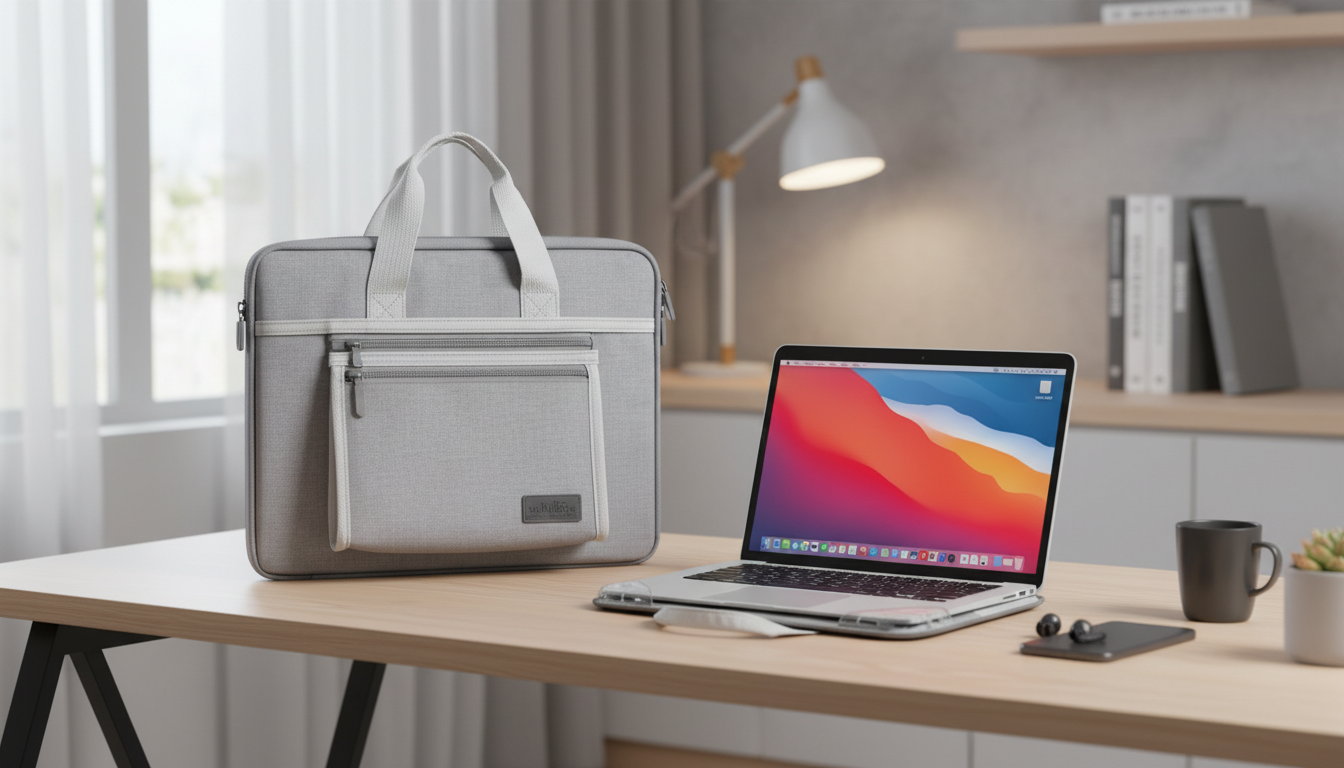
Canvas Laptop Sleeve Basics for MacBook Air & Pro (13–16 Inch)
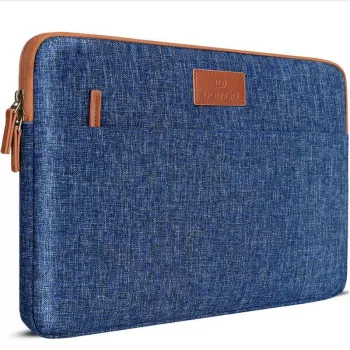
A canvas laptop sleeve is a practical way to protect a MacBook during commutes, classes, and travel—especially when it needs to slide in and out of a backpack quickly. Canvas sleeves tend to feel sturdy in hand, resist everyday abrasion, and keep a low profile so your bag doesn’t get bulky. The key is choosing the right size and paying attention to details like lining, padding, and zipper design.
Before choosing a sleeve, confirm your exact MacBook model and dimensions using Apple’s resources, such as Apple Support: Identify your MacBook model, then compare it to the sleeve’s internal measurements (not just “13-inch” or “16-inch” labeling).
What a Canvas MacBook Sleeve Protects Against
A well-made canvas case cover is designed for daily friction and handling—things that happen constantly but are easy to overlook until you see a scratch on aluminum.
- Everyday scuffs and surface scratches from zippers, keys, and bag interiors
- Minor bumps when carrying between rooms or placing the laptop on hard surfaces
- Dust and grit that can build up around ports and edges in backpacks and tote bags
- Light moisture exposure (canvas may resist splashes depending on lining and coating; it is not a substitute for a waterproof dry bag)
Getting the Size Right (13, 14, 15, and 16 Inch MacBook Models)
MacBook screen size is a helpful starting point, but it’s not enough to guarantee fit. Different generations can vary in footprint and thickness, and accessories can change what “fits” in real life.
- Match the sleeve’s internal dimensions to the MacBook’s width, height, and thickness; screen size alone is not enough
- Allow a small clearance so the laptop slides in smoothly, but avoid extra space that lets it shift and take corner impacts
- Account for hard-shell cases, keyboard covers, or snap-on privacy screens that add thickness
- If carrying the charger in the same pocket, ensure it cannot press into the laptop surface during movement
Quick fit checklist before buying
| Check | Why it matters | What to look for |
|---|---|---|
| Model dimensions | Different generations vary in footprint | Compare laptop dimensions to sleeve internal dimensions |
| Thickness tolerance | Hard cases and covers add bulk | A little extra depth; not loose side-to-side |
| Closure clearance | Zippers and flaps can rub edges | Padded zipper guard or soft lip at opening |
| Pocket layout | Accessories can press into the laptop | Separate compartment or padded divider |
Key Features to Look For in a Canvas Case Cover
Canvas is only part of the story. The protection comes from how the sleeve is built—especially around corners, edges, and the opening where contact is most likely.
- Padding density: enough cushioning to reduce corner and edge impact transfer
- Soft inner lining: helps prevent micro-scratches on aluminum surfaces
- Stitch quality: reinforced seams and consistent stitching along corners
- Closure design: smooth zipper track and a guard to reduce zipper-to-device contact
- Accessory storage: a pocket sized for a charger, cable, hub, or stylus without bulging into the laptop compartment
- Low-profile fit: easier to pack inside a backpack without adding bulk
If you’re unsure about dimensions, Apple’s official specs pages are the most reliable reference points: MacBook Air technical specifications and MacBook Pro technical specifications.
Canvas vs. Nylon vs. Leather: Which Makes Sense Day-to-Day?
Material trade-offs at a glance
| Material | Strengths | Watch-outs |
|---|---|---|
| Canvas | Durable, classic style, good grip in hand | May not be fully waterproof; check lining/coating |
| Nylon | Lightweight, often better splash resistance | Can feel slippery; zippers and seams matter |
| Leather | Premium appearance, ages with patina | Higher maintenance; can scuff and stain |
Using a Sleeve With Backpacks, Messenger Bags, and Carry-On Luggage
Care and Cleaning for Canvas Laptop Sleeves
Product Options In Stock
Canvas Sleeve for MacBook Air/Pro (13–16 Inch)
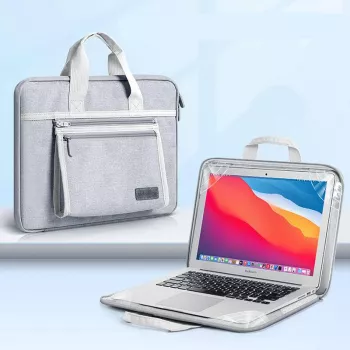
For everyday carry, a straightforward canvas sleeve can be a strong fit when you want reliable scratch protection, light cushioning, and a slim profile. See the Canvas sleeve for MacBook Air and MacBook Pro (13–16 inch) for a budget-friendly option that works well for students, commuters, and remote workers—especially when you verify your MacBook’s exact model dimensions before selecting a size.
Alternative for Extra Weather and Impact Protection (MacBook Pro 14)
If you’re frequently outside, commuting in rain, or carrying your laptop in a bag without a dedicated padded compartment, a more weather-focused sleeve can be the safer choice. Consider the Shockproof waterproof sleeve for MacBook Pro 14 inch when you want added peace of mind for splashes and bumps (verify your model’s fit since it’s specific to 14-inch MacBook Pro sizing).
Small Add-On for Travel Organization
If you often move between classrooms, coworking spaces, and airports, pairing a sleeve with a tracking accessory can help with bag management. The Leather Keychain Holder for Apple AirTag with Protective Cover and Key Ring is a simple way to keep an AirTag attached to a backpack or laptop bag without adding clutter to the laptop compartment.
FAQ
Will a 13-inch MacBook sleeve fit a 14-inch MacBook Pro?
Usually not reliably; 14-inch models often have a larger footprint and different thickness. Compare the laptop’s exact dimensions from Apple’s tech specs to the sleeve’s internal dimensions before buying.
Is canvas protective enough for daily commuting?
Canvas can be very practical for everyday scuffs and light bumps when paired with good padding and a soft lining. For frequent travel or wet conditions, choose thicker padding or a more water-resistant sleeve.
Can a charger be stored in the same sleeve pocket safely?
Yes, as long as the pocket is separate and the charger cannot press into the laptop surface while you walk or set your bag down. Avoid stacking hard accessories directly against the laptop compartment.








Leave a comment